
When the national flag flies in the street, when the laughter of family reunion echoes in the streets and lanes, there is such a group of people sitting in front of the screen all the time, their eyes locked with the rolling data code, and their fingertips hit the "security code" on the keyboard.
-They are network security policemen, taking the screen as the "battlefield" and technology as the "shield", silently building a network security defense line during the festival and guarding the digital life of hundreds of millions of people.

Whether it’s online ticket purchase, shopping spree, sharing trips or staying at home for drama, "network" has long been an important partner of everyone’s holiday life.
But behind the excitement, "invisible risks" such as information leakage are also quietly breeding. At this moment, the Netan police are sticking to their posts 24 hours a day, with the protection of "no fighting" to escort everyone’s "net" security. This safety guide, which covers the high-frequency internet use scenes during holidays, helps you avoid the trap and spend your holidays with peace of mind!

First, travel "net" thing:Start by rejecting the "shortcut"
During the National Day holiday, "grabbing tickets" and "booking hotels" are the primary tasks of many people, and criminals are also staring at these needs and setting traps:
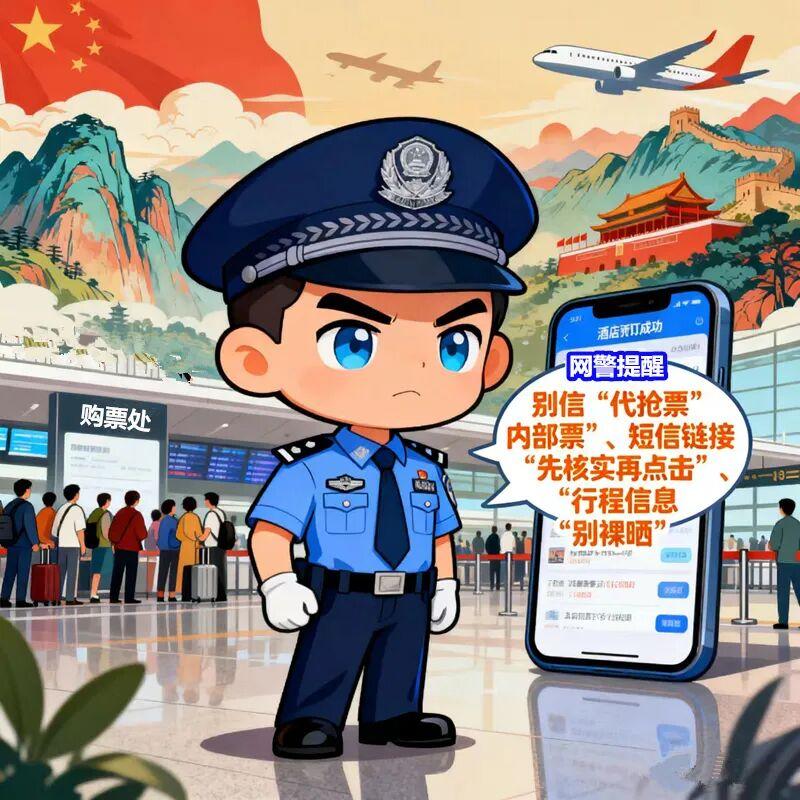
01/Don’t believe in "grabbing tickets on behalf of others" and "internal tickets"
"National Day train ticket is too difficult to grab? Look for me to grab it, and 200 yuan will guarantee a ticket! " "Tickets for scenic spots are half price, and internal channels are absolutely reliable!" When you encounter this kind of information, you must be vigilant-the so-called "grabbing" means either blacking out the money or sending you a fake order screenshot; "Internal tickets" are mostly scams, which will only make you "empty money and tickets" in the end. Please look for formal channels such as official website/APP and the official platform of the scenic spot, and there is no "shortcut", which is the safest way.
02/ SMS link "Check before clicking"
When you receive the short message of "successful ticket purchase notice" and "abnormal order needs to be changed", first check whether the sender is the official number. If there is a strange link in the text message, don’t order it directly! You can manually open the official APP to check the order status, and avoid clicking the phishing link, which will lead to the disclosure of ID card and bank card information.
03/ Travel information "Don’t get naked"
Travel information "Don’t be naked". When sharing tickets and air tickets, remember to use mosaics to block key information such as name, ID number and travel time. These seemingly "daily" sharing may be used by criminals, posing as "relatives and friends" to ask for money from their families, or stealing when you are "nobody at home".
Second, shopping "online" things: don’t let "routines" empty your wallet.
E-commerce promotions on National Day are crowded together, and "full reduction", "spike" and "bargain" are dazzling, but there may be a trap behind "cheap":
one
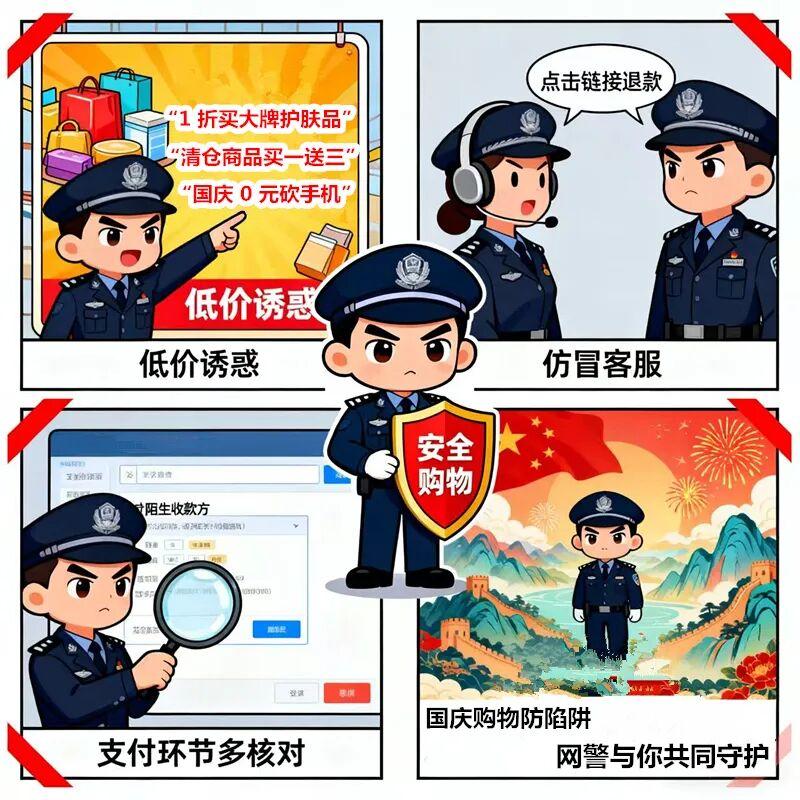
Be wary of "low price temptation"
"Cut off the mobile phone in 0 yuan on National Day", "Buy big-name skin care products at 10% discount" and "Buy one get three for clearance goods" —— In the face of such tempting activities, ask yourself "Will there be pies in the world?" . Most "bargaining links" either need to pull dozens of people and still can’t succeed, or hide malicious software to steal the address book and payment information in the mobile phone; "Low-priced clearance goods" may be inferior fakes, and even the merchants directly "lost contact" after payment. Shopping gives priority to the flagship store certified by the platform, and refuses the "three noes" website and private transfer transactions.
2
Don’t believe in "fake customer service"
Just after placing the order, I received a call from "customer service", saying that "the goods are out of stock and you need a refund" and "the order needs to be upgraded if it is abnormal", and asked you to fill in the bank card number+verification code? This is a typical trap! Regular customer service will not let you communicate from the shopping platform, and will not ask for a verification code. If in doubt, contact the "official customer service" directly in the shopping APP for verification to avoid being exploited by scammers.
three
"Multi-check" in payment link
Don’t hurry to click "Confirm" when paying. First, carefully check whether the payee is the official account of the merchant, so as to avoid entering the wrong account due to hand slip. Try to use the payment tools that come with the platform to reduce the "direct transfer of bank cards"-in case of illegal acts, the platform can assist in safeguarding rights and gain time for recovering losses.
Third, social "network" things: share happiness, don’t reveal "privacy"
During the holidays, it is normal to bask in food, bask in beautiful scenery and chat with friends online, but there are also risks of privacy leakage in these scenes:
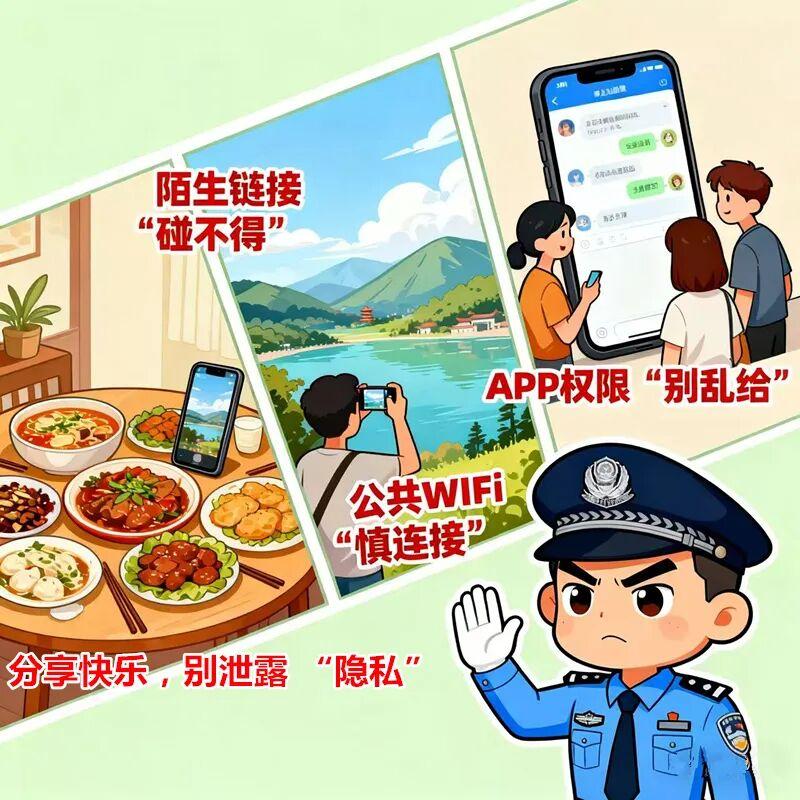
1. Strange links are "untouchable"
A friend sent a "National Day red envelope link", "Test your National Day fortune" and "Beautiful short video of the scenic spot". First, confirm whether it is sent for a friend himself (beware of account theft), and then judge whether the source of the link is formal. After clicking many unfamiliar links, they will automatically download malware, or jump to phishing pages, steal your account login password, and even intercept SMS verification code.
2, public WiFi "careful connection"
In scenic spots, shopping malls, restaurants and other public places, you can see the hotspots of "National Day free WiFi" and "direct connection without password", so don’t surf the Internet easily. These may be "phishing WiFi", and your online records, account passwords and chat content may be monitored by criminals. If you need to use the internet, give priority to turning on mobile phone traffic, or connect to public WiFi with known passwords and reliable reputation.
3. APP permission "Don’t give it indiscriminately"
When downloading the National Day photo-taking, punch-in and ticket-purchasing apps, permission applications such as "Allow reading address book", "Allow obtaining location information" and "Allow accessing photo album" will pop up. For non-essential permissions, decisively choose "Reject"-for example, the photo APP does not need to "read the address book" and the ticket purchase APP does not need to "visit the photo album". Excessive authorization will only increase the risk of personal information disclosure.
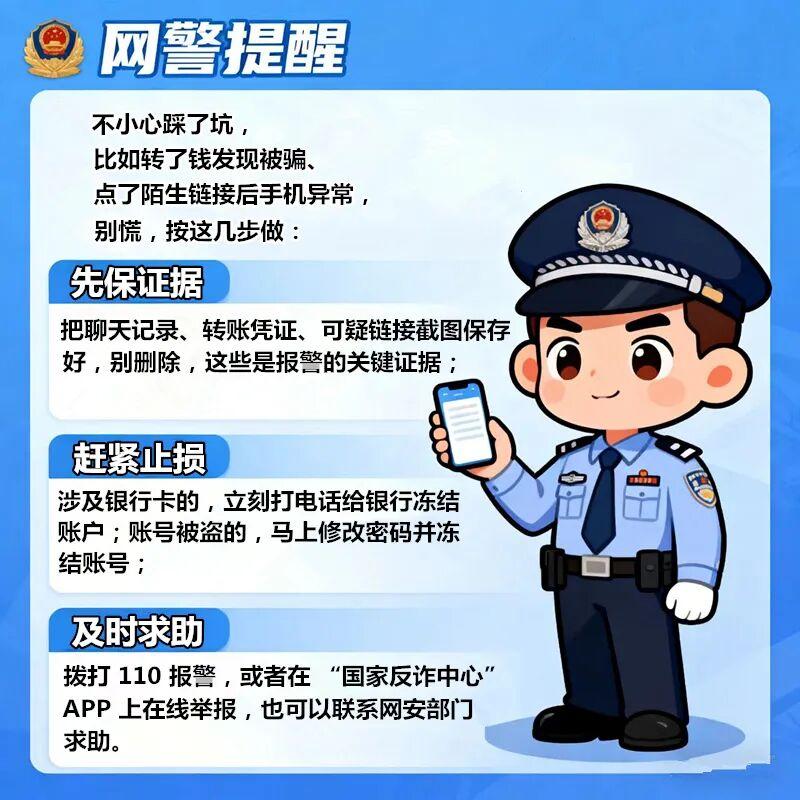
Emergency situation:
Don’t panic when you encounter risks, it can stop losses!
Although there are many "net" things, there is no shortage of safety.
I hope this guide can help you avoid risks and enjoy your holiday. Netan police will always stick to their posts, be the strong backing of your "net" security, and accompany you to spend the National Day with peace of mind!
Source: Network Security Bureau of the Ministry of Public Security
Reporting/feedback

关于作者